· ming · Reviews · 5 min read
Renderforest Review (2026): Logo, Mockups & Promo Videos for Shopify/Etsy/POD
Renderforest review for Shopify/Etsy/POD sellers: create logos, realistic mockups, and 15–30s promo videos fast—see free vs paid export limits (watermark/1080p) and best alternatives.
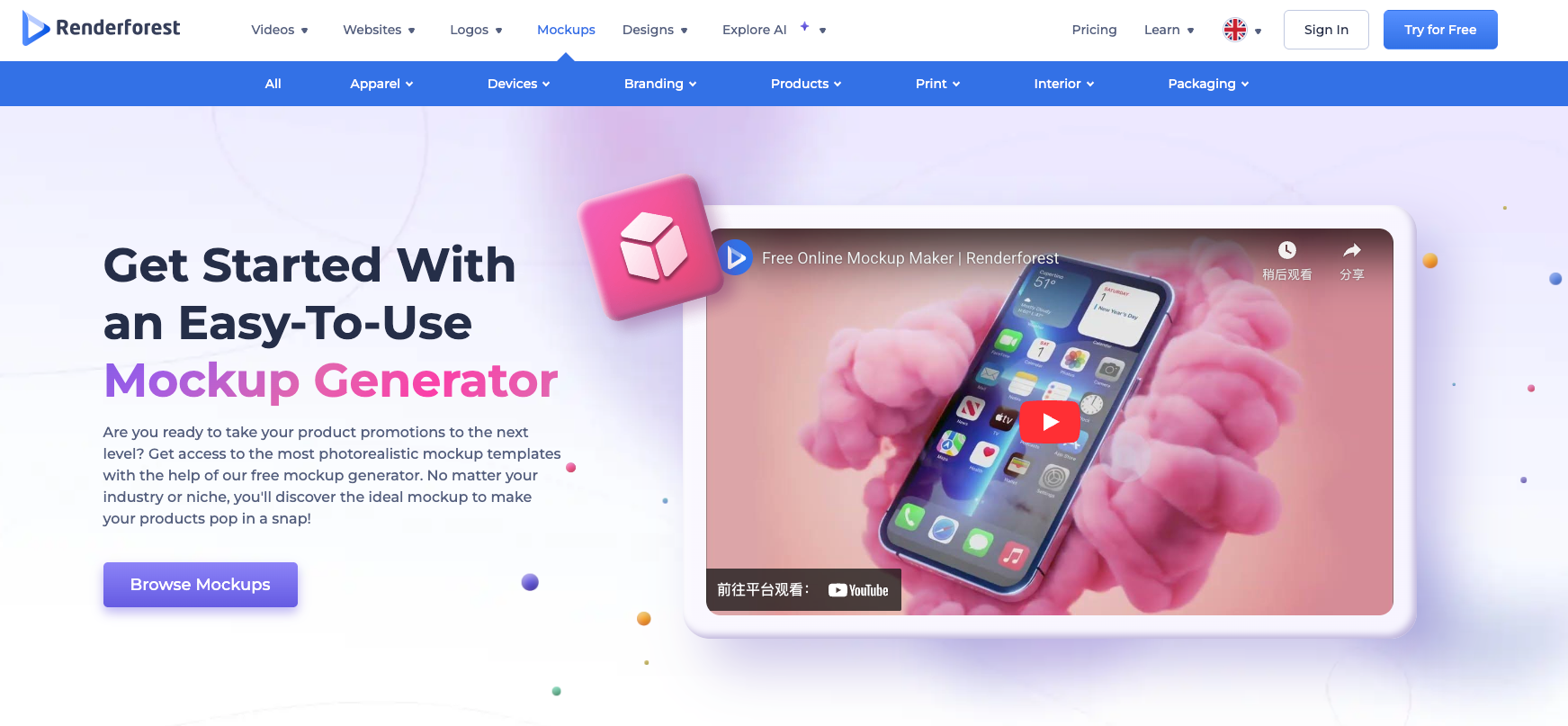
Renderforest Review: A Beginner-Friendly All-in-One Brand Tool for E-commerce Sellers
In this Renderforest review, we’re looking at the platform from a seller’s perspective: can it help you create store-ready brand assets fast—logos, mockups, short promo videos, and social graphics—without hiring a designer or learning complex tools?
If you run Shopify, Etsy, or POD, you don’t need perfect design. You need visuals that look professional enough to sell, and you need them fast. Renderforest positions itself as a beginner-friendly, all-in-one workflow where you pick a template, replace content, export, and publish.
free start here
What Is Renderforest? (All-in-One Logo, Mockup & Video Maker)
Renderforest is an online platform designed for non-designers to create brand and marketing assets in one place. For e-commerce sellers, it’s built for one practical outcome: turning “I need assets today” into publish-ready content quickly.
The trade-off is simple: templates give you speed and consistency, but advanced customization can feel limited. If your priority is launching fast and staying consistent across product drops and promos, that trade can be worth it.
Key Features for Shopify/Etsy/POD Sellers
Logo Maker + Mockup Preview (Real-World Validation)
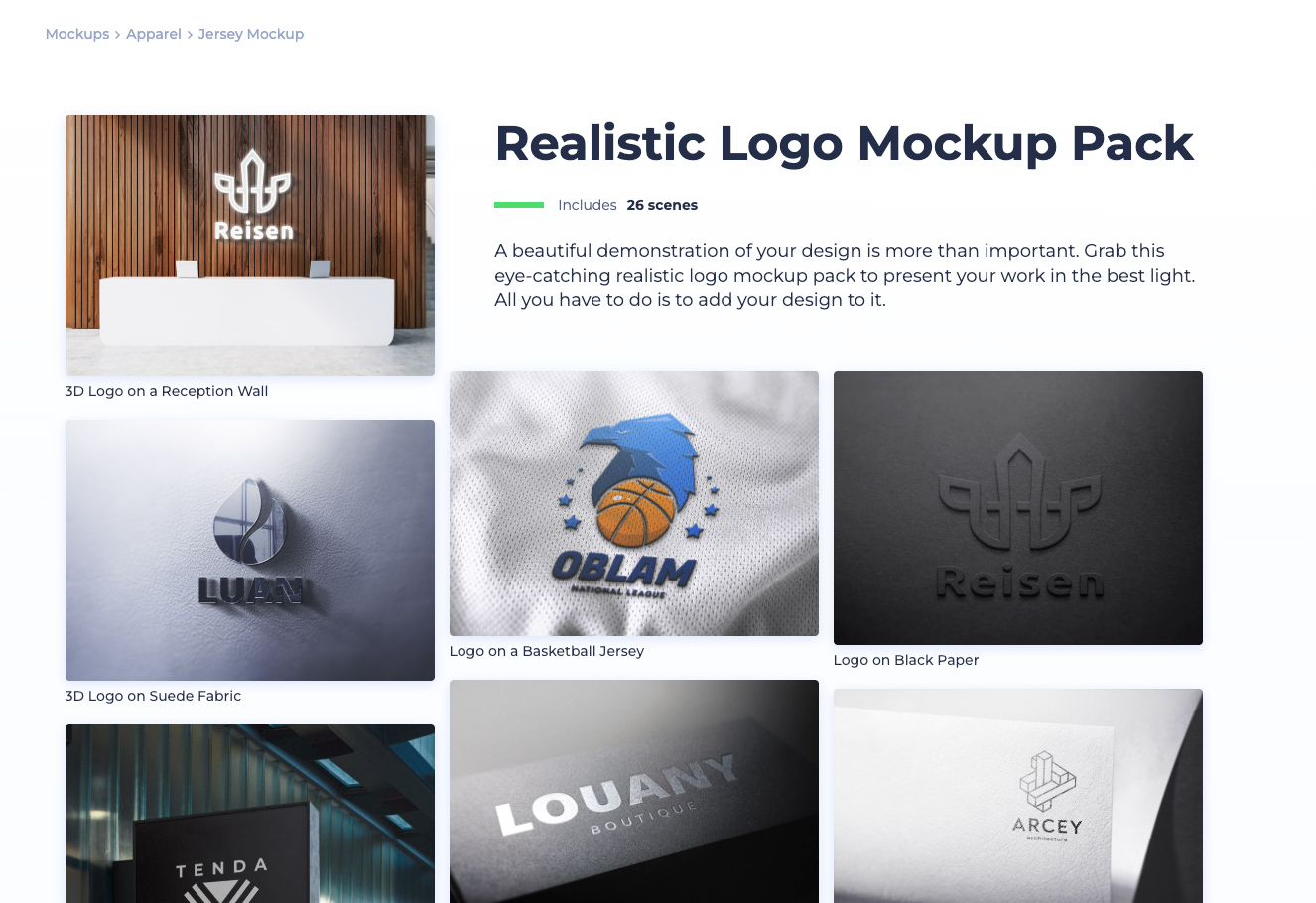
This section functions like a Renderforest logo maker review: you enter your brand name, a short description, and a style direction, generate options, and iterate. The real value is validation—your logo doesn’t live on a white background. It lives on packaging, product visuals, store banners, and ads.
Mockup Maker for POD Listings & Ads
If you’re POD-heavy, this Renderforest mockup maker for POD workflow can be a major time-saver. You pick a scene, drop in your design, and export multiple variants (angles, colors, seasonal styles) without inventory or photoshoots.
Video Templates for 15–30s Product Promos (Template → Settings → Edit)
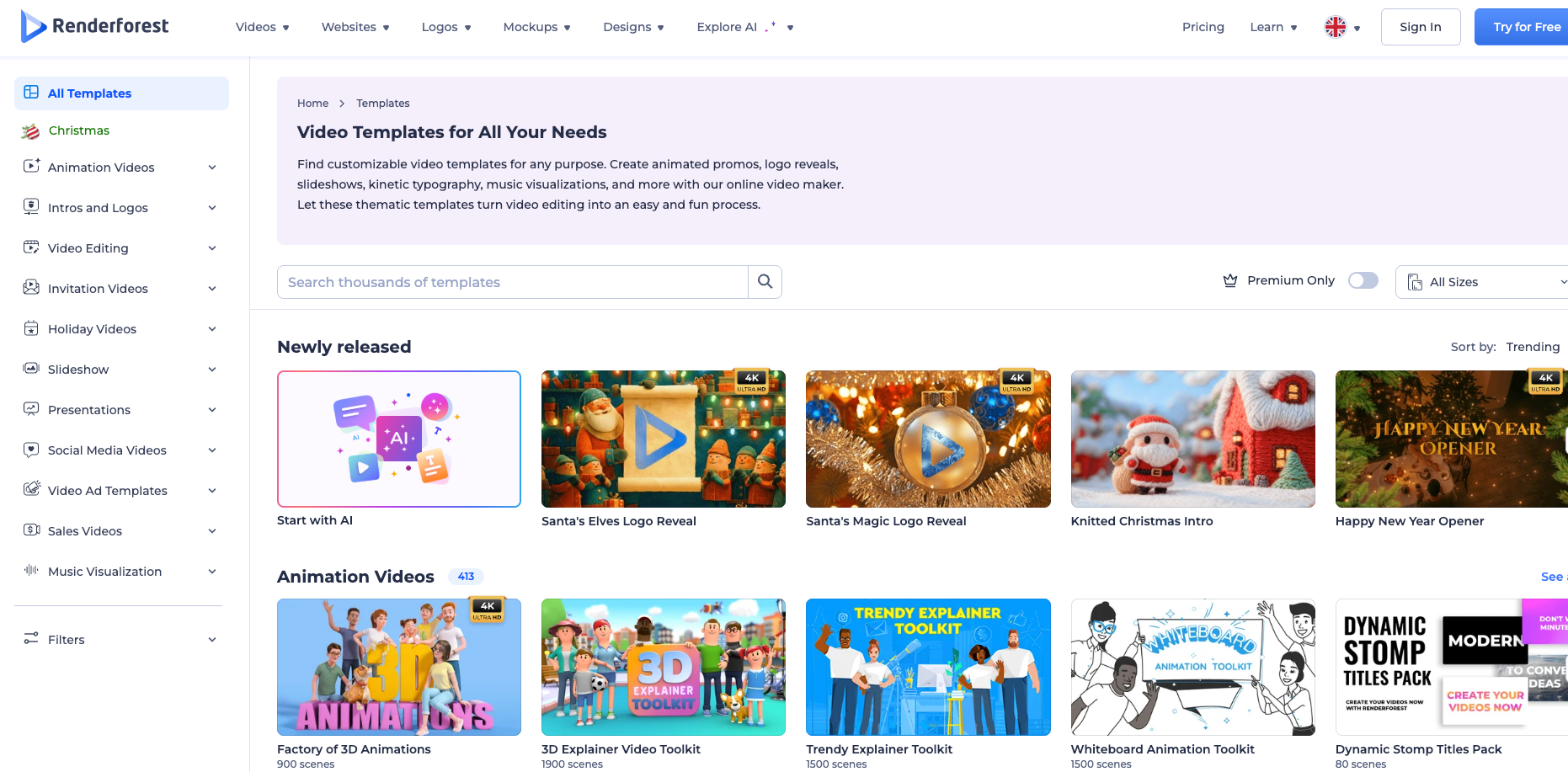
If you’ve ever searched “how to make a product promo video in Renderforest,” the workflow is built exactly for you: choose a template (promo, slideshow, intro/outro, animation), set ratio/duration/frame rate, then replace content inside a guided editor. It’s a checklist-style process designed for beginners.
Brand Consistency Tools (Fonts, Colors, Styles)
You can swap photos and videos, edit text (fonts and styles), adjust motion style, and apply color schemes. The practical benefit is consistency: your store visuals, ads, and social posts can look like one brand even if you’re not a designer.
Cloud Rendering + Asset Saving
Exports render in the cloud and projects stay saved in your account. That helps if you’re producing frequently and want a repeatable asset pipeline.
Hands-On Test: Build a Store-Ready Asset Pack (Logo → Mockups → Promo Video)
The simplest way to judge Renderforest is a real seller test: can you ship a complete pack quickly—logo, mockups, and a short promo video—without hiring help?
Task A: Create a Logo, Then Validate It in Mockups
Start with logo generation and iteration. Then immediately test it in mockups to catch common issues early: thin fonts that disappear on product photos, colors that clash with your packaging palette, or icons that break at small sizes.
Conversion takeaway: this prevents expensive rework and speeds up store launches and rebrands.
Task B: Build a Listing Visual Pack (Mockups + Banners + Social)
A realistic pack looks like:
- 6–10 product mockups (scenes/angles)
- 2–3 promo banners (sale/new drop/bundle)
- 1–2 social visuals (covers/ad-style posts)
The win is repeatability: once you find a style that fits your shop vibe, you can reuse it for each drop.
Task C: Create a Short Promo Video (15–30 seconds)
For e-commerce, short promos win. Treat the editor like a structured checklist: replace placeholders, align fonts/colors, keep the message tight. Add audio via upload, platform music, or voice (upload/record/text-to-speech) to make simple slides feel like ads.
Reality check: rendering can take longer on larger projects—keep videos short and repeatable for best ROI.
Renderforest Pricing: Free vs Paid (Watermark, 1080p, Storage)
Here’s the truth sellers care about: exports. In this Renderforest review, pricing and export limits are the real deal-breakers—not the editor UI. Many sellers decide after they see the difference between “testing” and “shipping.”
You’ll often see this searched as Renderforest pricing free vs paid. The core idea is consistent: free is good for trying the workflow, but paid is where you unlock output that looks truly usable for storefronts and ads.
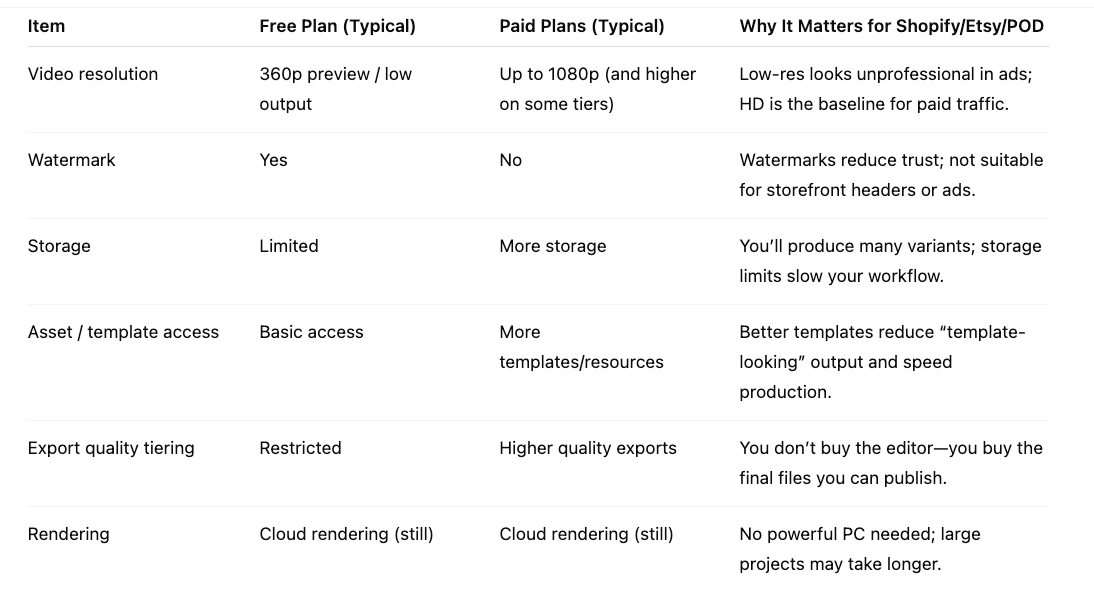
Decision tip: Free is for testing workflow. Paid is for shipping usable assets.
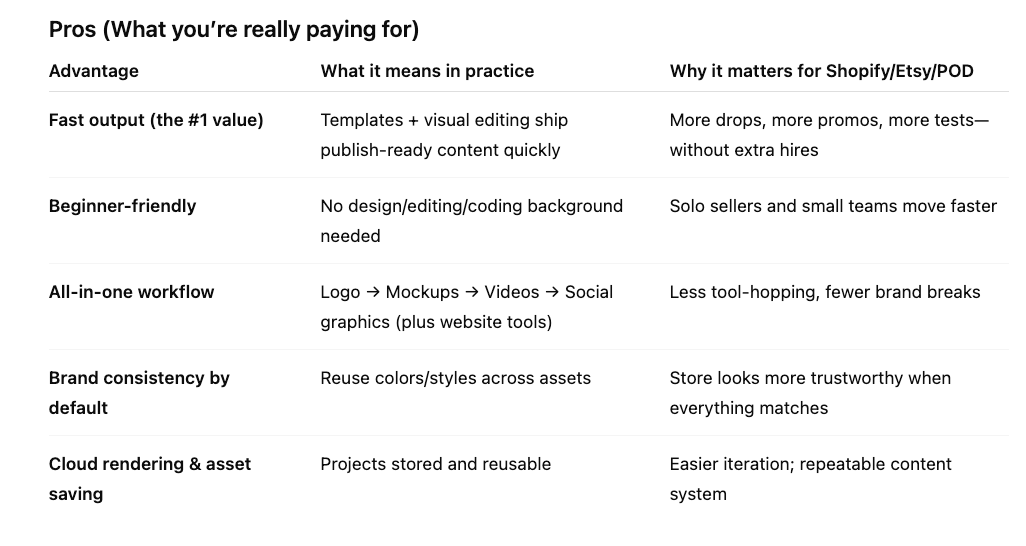
Pros & Cons: Is Renderforest Worth It for E-commerce?
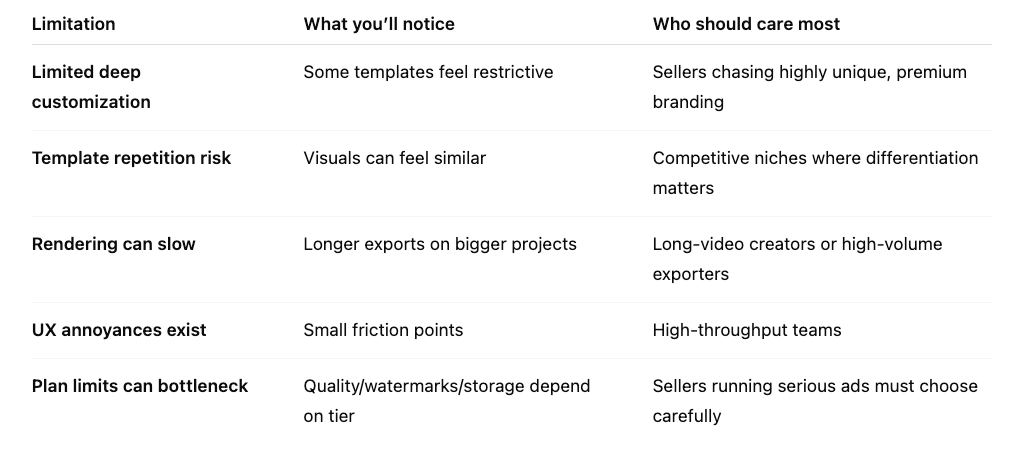
Cons (What can hurt your ROI)
Feature Comparison Matrix (E-commerce-focused)
If you’re comparing tools, frame it as “job-to-be-done,” not features. These are the most common Renderforest alternatives for e-commerce:
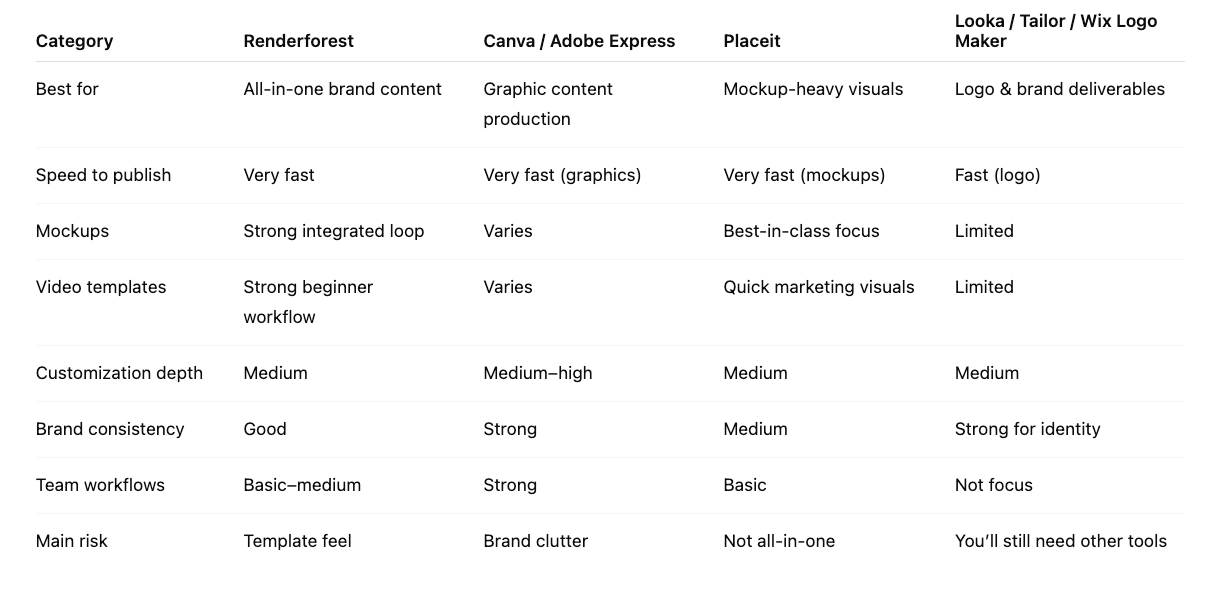
Bottom line: if you want one platform to ship brand content fast, Renderforest wins. If you need deeper control, build a specialist stack.
Who Should Use Renderforest (and Who Should Skip)
Renderforest isn’t for everyone—and that’s a good thing. It’s built for sellers who value speed and consistency over deep, pixel-perfect creative control.
If you’re a Shopify/Etsy/POD seller who constantly needs visuals (new drops, seasonal promos, bundles, ads), Renderforest fits because it helps you produce a complete asset set quickly: a usable logo, realistic mockups, and short promo videos—without hiring a designer or learning heavy software. It’s also a strong match for solo sellers and small teams who want a repeatable system: pick a template, replace content, export, publish, repeat.
Where Renderforest starts to feel weak is the exact reason it feels easy: templates. If your brand depends on high-end, unique design, or you require advanced customization and full creative control, you’ll likely hit the ceiling and feel constrained. The same is true if you regularly produce long or complex videos—rendering time and workflow limits can become a bottleneck.
Final Verdict: Should You Buy Renderforest?
Final verdict of this Renderforest review: it’s a strong buy when your business is limited by content production speed. If your brand strategy depends on uniqueness and deep control, you’ll outgrow it faster—or you’ll use it as a short-term accelerator while building a more flexible stack.