· ming · Reviews · 6 min read
Dynamic Mockups Review (2026): Bulk Mockups for POD & Etsy Sellers
Dynamic Mockups review (2026): bulk mockup generation for POD & Etsy sellers, PSD smart objects, AI photoshoots, pricing/credits, and best alternatives.
What Is It?
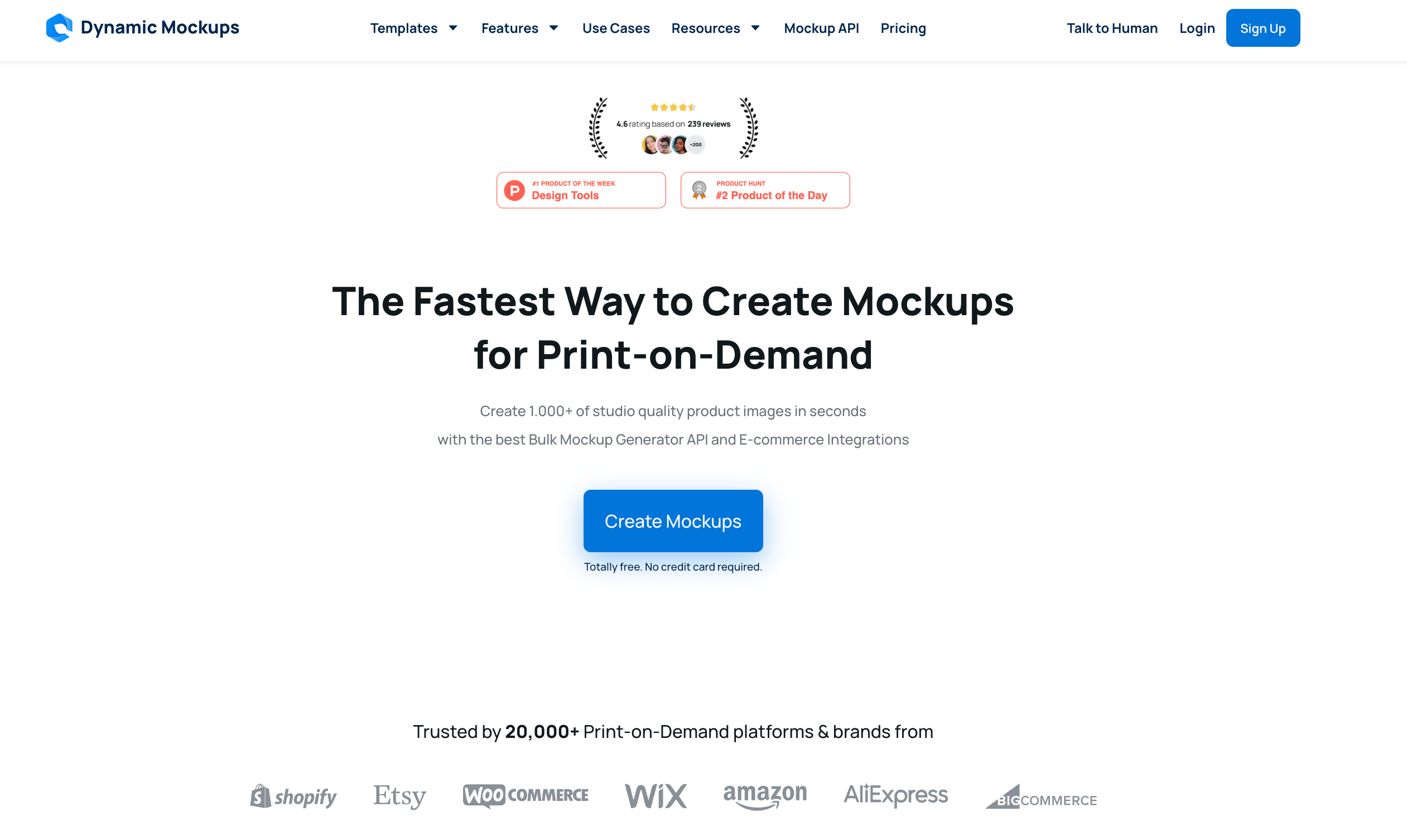
Dynamic Mockups is a cloud-based mockup generation platform built for POD and e-commerce sellers who need realistic, conversion-ready product images at scale. Instead of acting like a traditional “single-image mockup editor,” it focuses on automation and bulk production—turning repetitive mockup work into a streamlined workflow.
At its core, the service renders mockups using Photoshop templates and smart objects, so you can generate large batches with minimal manual effort. It’s designed around real marketplace pain points: keeping listing visuals consistent, creating seasonal/niche variations quickly, and reducing the time sink of exporting and updating product images.
Try it here
Key Features That Matter for POD Sellers
Below are the five features that matter most for POD and e-commerce sellers—especially if you care about conversion-ready visuals and bulk speed.
1) Bulk mockup generation for fast catalog updates
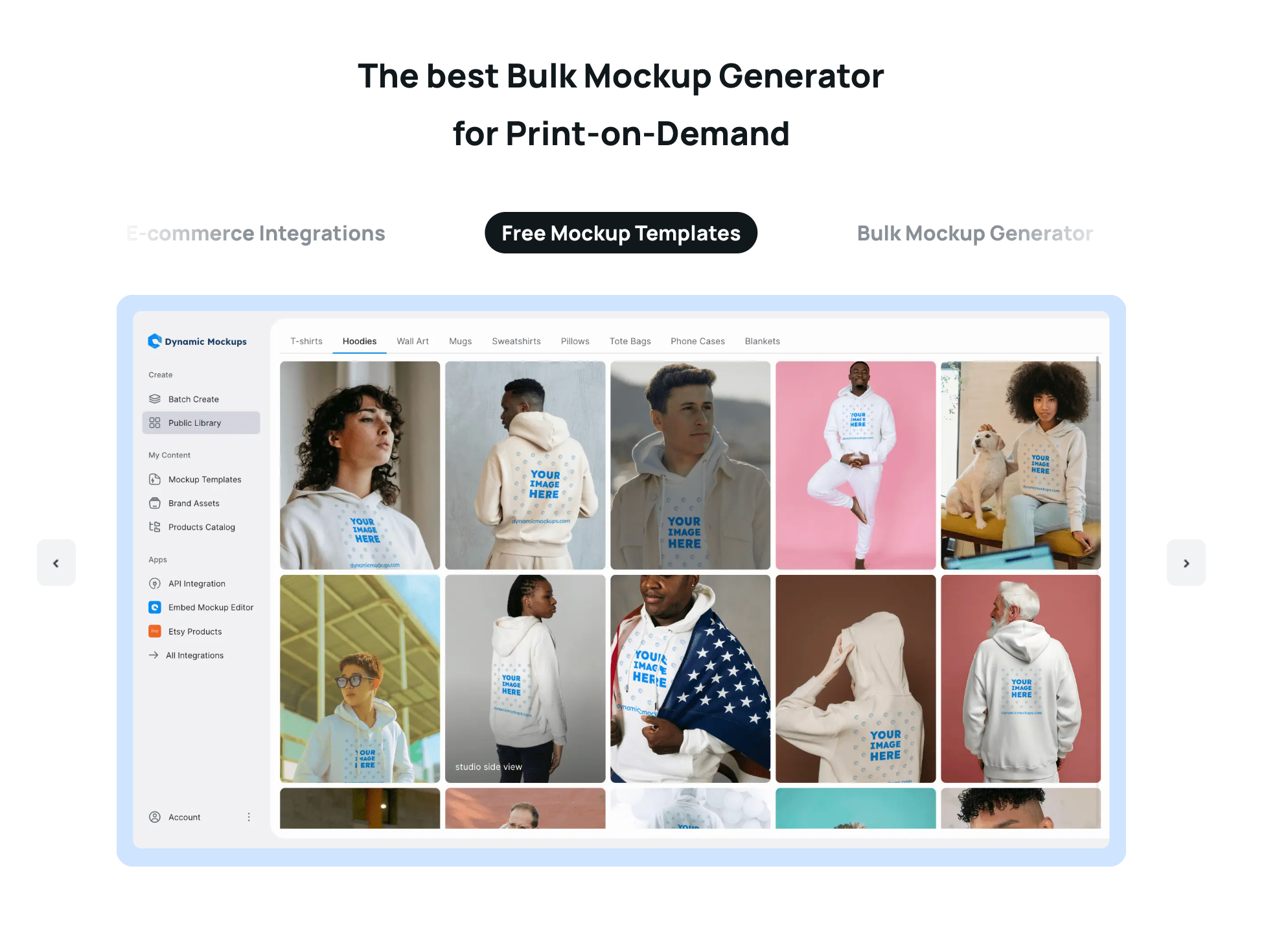
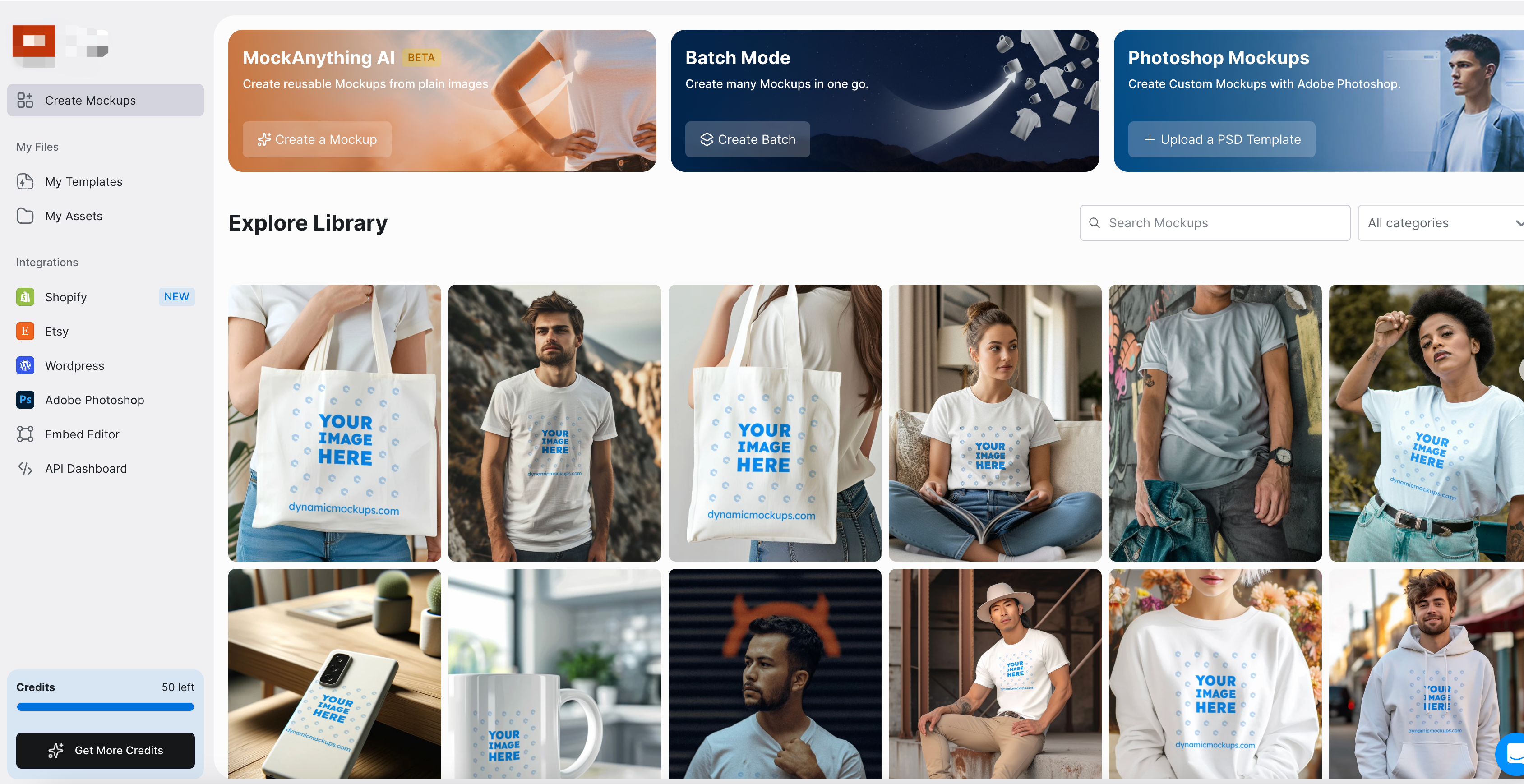
This tool is built around batch production, not one-by-one editing. The big advantage is batch mockup creation for multi-SKU catalogs—exactly what you need when you’re launching new designs, refreshing a storefront, or updating an entire collection.
2) PSD smart objects for realistic output (without manual Photoshop work)
The platform supports Photoshop templates and smart objects—including placement, blending, and perspective-style adjustments—so results feel closer to real product photography than flat overlays. It also allows custom PSD uploads, which helps if you already have templates or want to standardize a brand look.
If you’ve ever built templates in Photoshop, you’ll recognize this as a Photoshop smart object mockup workflow—just moved into a faster, more repeatable production flow.
3) AI photoshoot backgrounds for lifestyle scenes
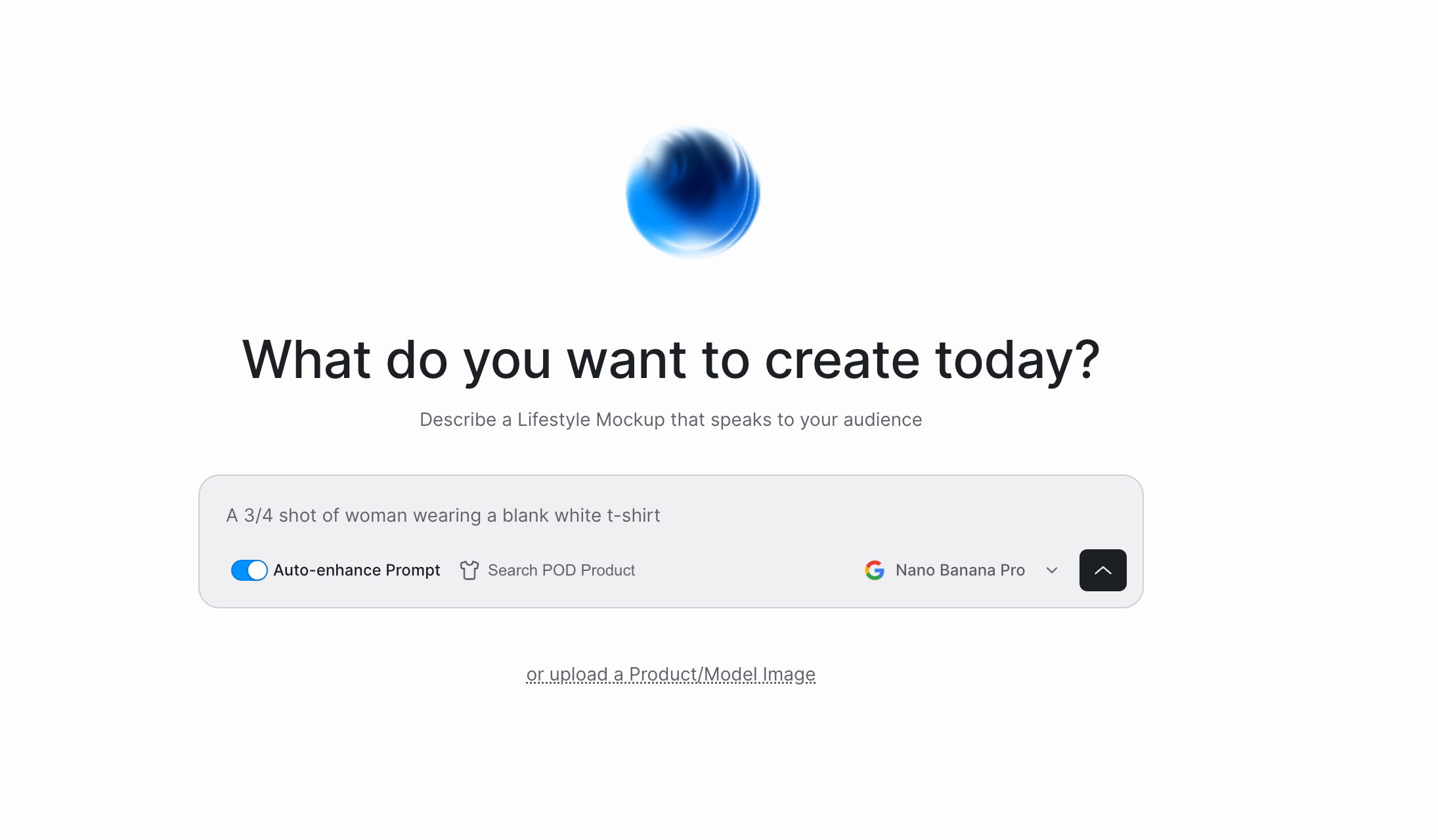
A standout differentiator is prompt-based AI “photoshoot” environments. Instead of recycling overused stock scenes, you can generate fresh lifestyle setups (e.g., minimalist interiors or holiday flat lays) while keeping the product consistent—useful for seasonal refreshes and niche targeting.
4) Variants in one go (colors + design variations)
For POD sellers, variants are the real workload: different colorways, placements, and designs. The workflow supports generating multiple variations in a single run, which is helpful for quick testing and consistent listing visuals.
5) Automation: integrations, API, and embeddable editor
Dynamic Mockups (DM) is positioned as more than a generator—it’s an automation layer:
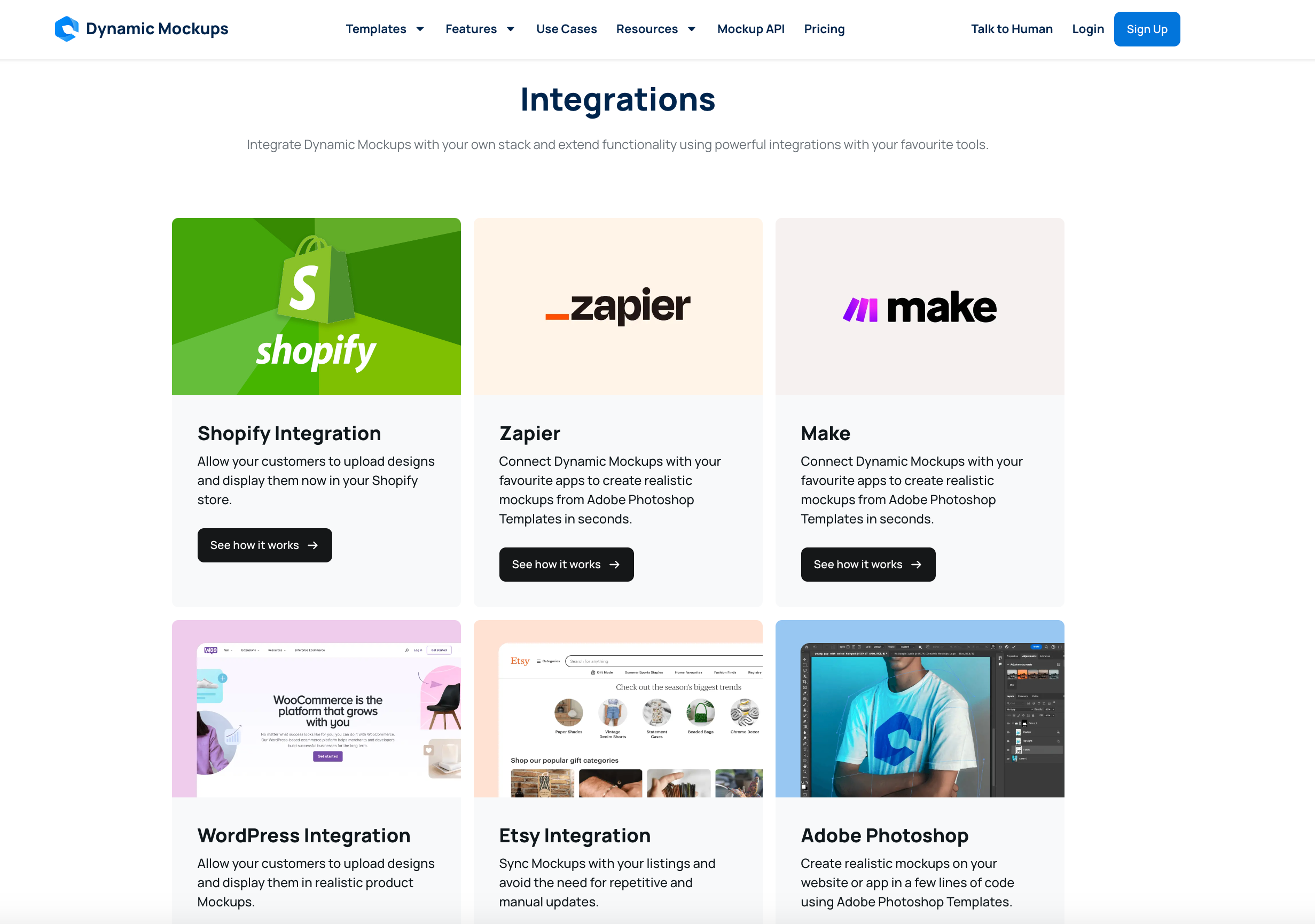
- Integrations mentioned include Shopify, Etsy, WooCommerce, Zapier/Make, WordPress, and more (useful as a POD mockup generator for Shopify stores).
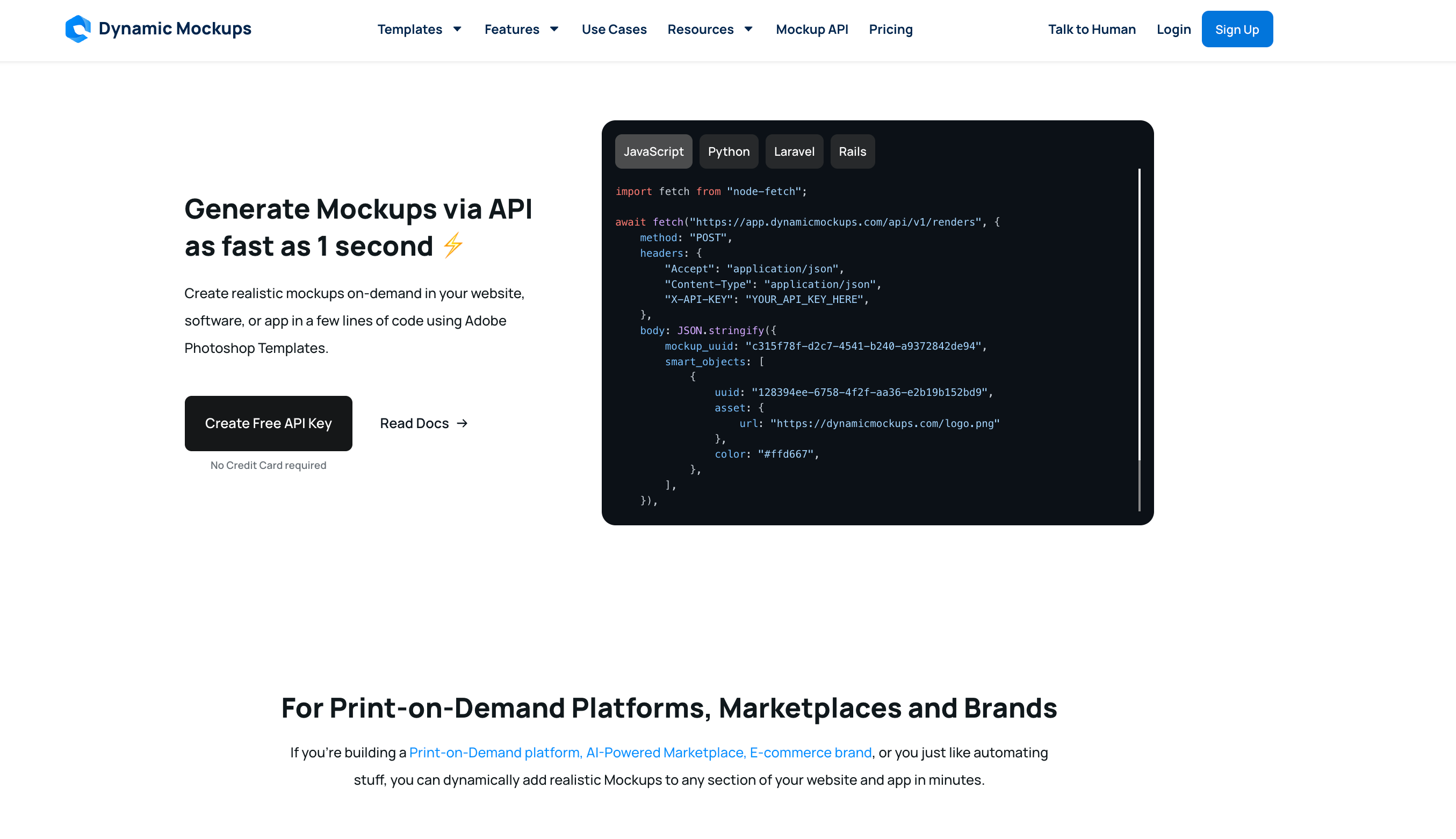
- A scalable API (hosted on AWS) supports higher-volume workflows—think mockup automation API for ecommerce pipelines.
- An embeddable iFrame editor is mentioned for teams that want end users to customize mockups inside their own app/workflow.
Hands-On Experience: Speed, Quality, and Etsy Workflow
Seller-first workflow (not a design tool)
The working sequence is straightforward: upload your design → choose a product type → adjust placement/size → generate the final mockup. What stands out is how operational the flow feels—it’s designed to ship listing images, not to do general design work.
Bulk mode is where it actually wins (especially vs Canva)
The core advantage shows up when you need one design across multiple products and multiple scenes. That’s the scenario where Canva-style workflows become repetitive: too many manual repeats, too many small adjustments, too much exporting.
In practice, bulk mode maps neatly to real seller tasks:
- Launching new products faster
- A/B testing listing hero images
- Quick seasonal / holiday refreshes
Output style: more “product photo” than “template graphic”
The scene style is described as more realistic and closer to a product photo, with a lifestyle/commercial look that helps keep a shop visually consistent. You also get two levers for variety without losing consistency:
- AI photoshoot backgrounds for scene diversity
- Color + design variants for POD-style variations
Etsy workflow: catalog refresh is the real value
A major value theme here is reducing the “mockup time sink” for Etsy sellers: find a template → replace design → resize → export → upload. The promise is “configure once → generate in bulk,” including sizing optimized for Etsy and the ability to batch-refresh listing images for larger catalogs—functionally acting like a catalog-level visual refresh tool.
This is why it reads like a bulk mockup generator for Etsy sellers, not just another editor.
Where the experience feels limited
A fair review should call out three constraints:
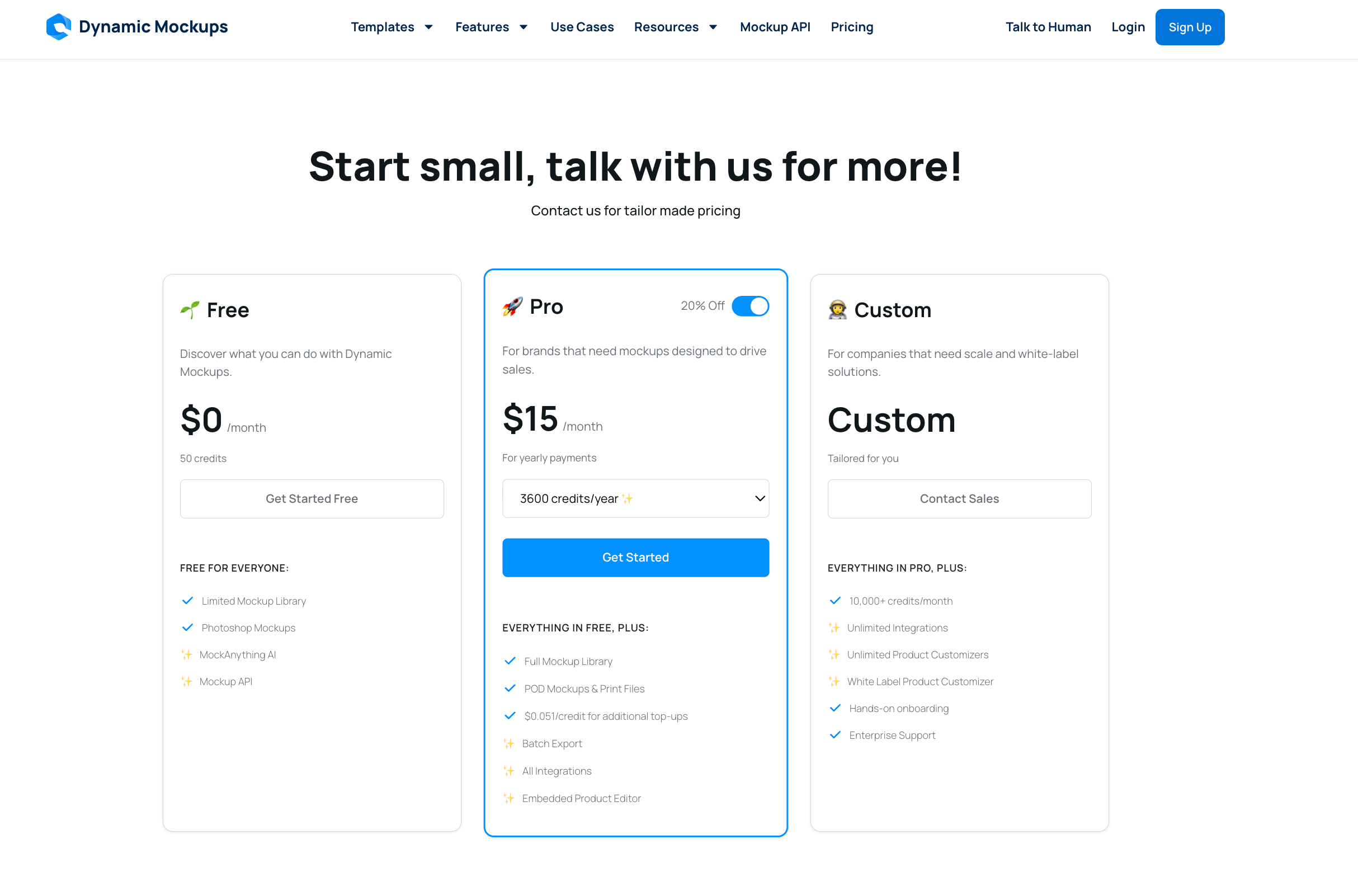
- Bulk download can be gated behind Pro (free plan limits batch workflows)
- At scale, credits can become the bottleneck (not rendering speed)
- Template libraries grow over time, but popular scenes can create “everyone looks similar” risk if many sellers reuse the same setups
Also, it’s not a full Canva replacement—better seen as a professional upgrade specifically for mockup production.
Pros and Cons (Honest Breakdown)
Pros
- Bulk speed that saves hours for multi-SKU, frequent launches
- Low learning curve (seller-first UI, no design background required)
- Lifestyle/commercial templates that support consistent listing visuals
- AI backgrounds to create more varied scenes without heavy manual work
- API + integrations for automation-heavy workflows
Cons
- Credits can limit output volume for high-scale teams
- Bulk download may require Pro
- Customization depth is limited compared with full Canva/Photoshop workflows
- Static images only (no MP4/GIF mockups)
- Template collision risk if many sellers use the same scenes
Alternatives: DM vs Placeit vs Canva vs BulkMockup
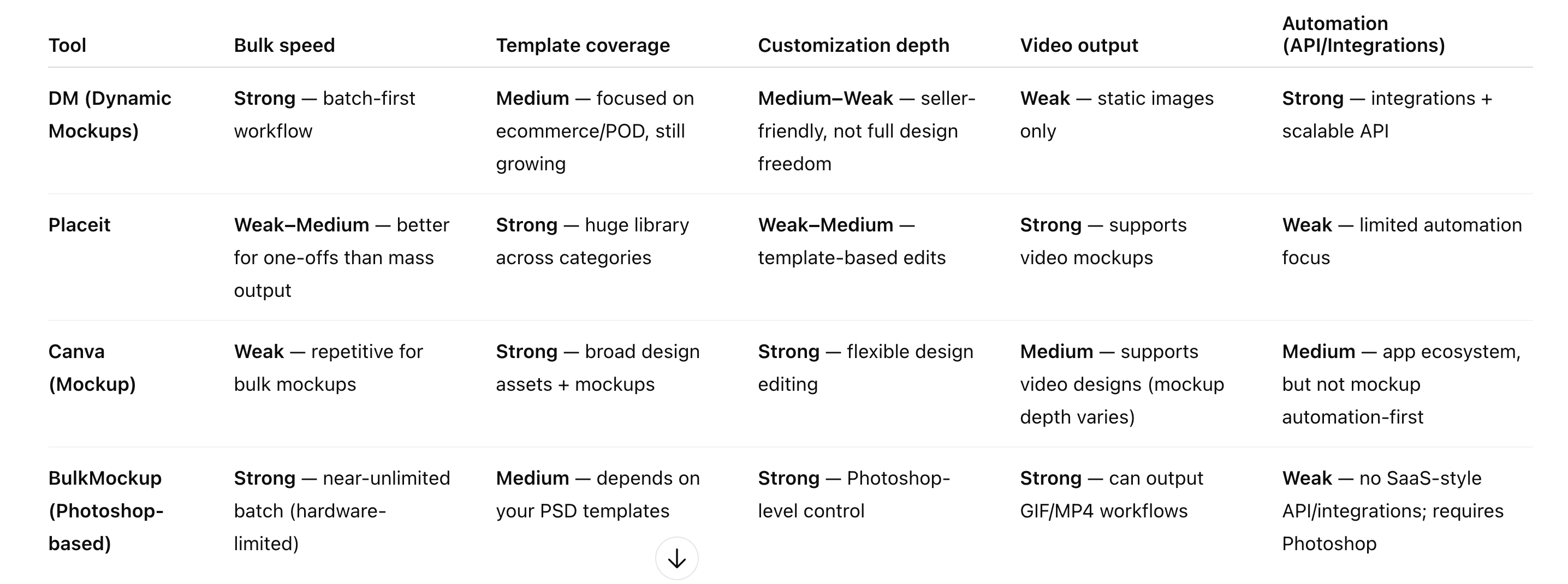
To make the comparison fair, I’m using seller-focused dimensions: bulk speed, template coverage, customization depth, video output, and automation (API/integrations).
Placeit
Best if you want a massive template library, one-off mockups, and video templates. Bulk workflows can feel slower when you’re managing many SKUs.
Canva (Mockup Generator)
Best if you need general design (banners, posts, brand kits) and only occasional mockups. For repeated bulk mockup work, the workflow can get repetitive.
Smartmockups
Often positioned around high-quality templates and a mature UX, but not the strongest on bulk automation compared to batch-first tools.
Mockuuups Studio
More designer/product showcase oriented—great for presentation aesthetics, less centered on ecommerce listing production.
Renderforest
Best when video mockups matter for ads and social content; stronger for multimedia output.
BulkMockup (Photoshop-based)
Best if you’re already using Photoshop and want maximum control plus “near-unlimited” batch output (hardware-limited), including GIF/MP4. Trade-off: it typically requires Photoshop and lacks the SaaS-style integrations/API workflow.
Pricing & Credits: Is Pro Worth It?
A practical decision rule:
- Use the free plan first to validate output realism and workflow speed for your niche.
- Upgrade when mockups become a weekly operational bottleneck (launches, refreshes, A/B testing), especially if batch exporting matters.
- If you expect very high weekly output, evaluate tiers around credits—or consider a Photoshop-based bulk route if you need unlimited-style production.
If you want to test the bulk workflow yourself
Final Verdict: Should You Use It?
Dynamic Mockups is easiest to recommend for POD/Etsy sellers who need consistent, conversion-ready images and regularly produce mockups in batches. If you only make mockups occasionally—or you rely heavily on video output or deep design freedom—you’ll likely get better ROI from the alternatives.